Activate a collection
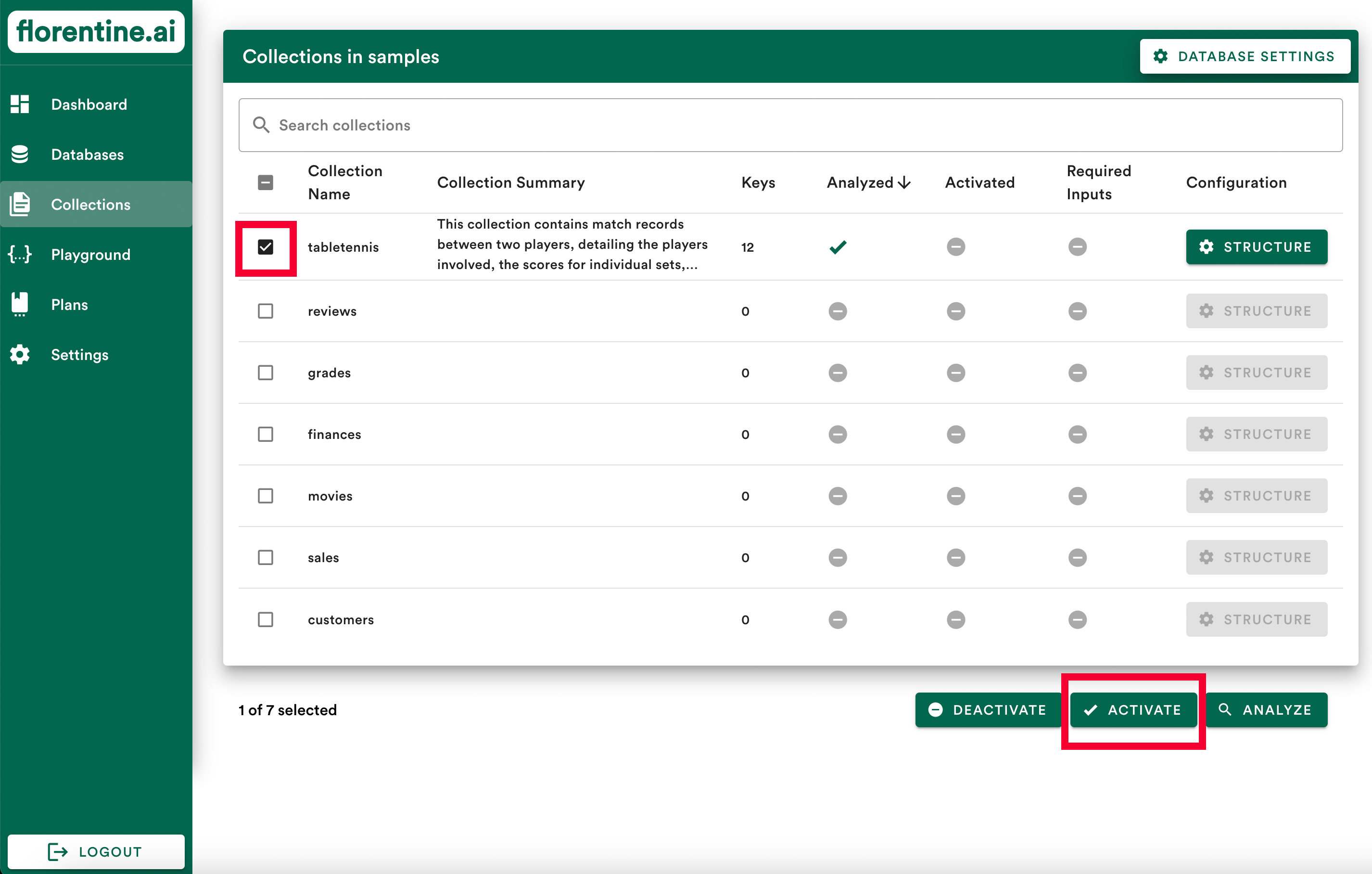
After successfully analyzing one or more collections you should see a checkmark in the Analyzed column of the collection(s) you analyzed. You should also a see a Collection Summary and the number of Keys found.
Now you need to activate the collection(s) you analyzed. Select the collection(s) you want to activate and click on Activate:
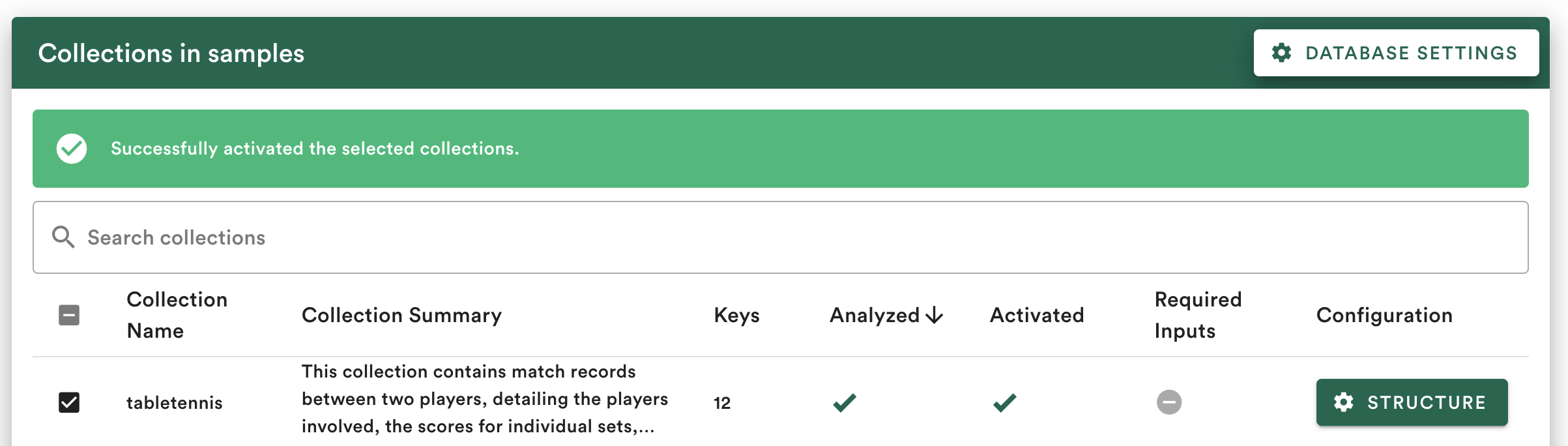
You should see a checkmark in the Activated column now: