Response Types
By default, the API returns a query result to the question provided. However the return value may consit of the result of any combination of the following three steps:
- Query Generation: The question is converted into a MongoDB aggregation or MySQL query.
- Query Execution: The aggregation/query runs against the database using the connection string you provided and returns the result.
- Answer Generation: The structured result is transformed into a natural language answer.
Option 1: Set the Response Types in the settings
The easiest way to set your desired response types is in the LLM settings in your account. Just select the response type(s) you want to have returned:
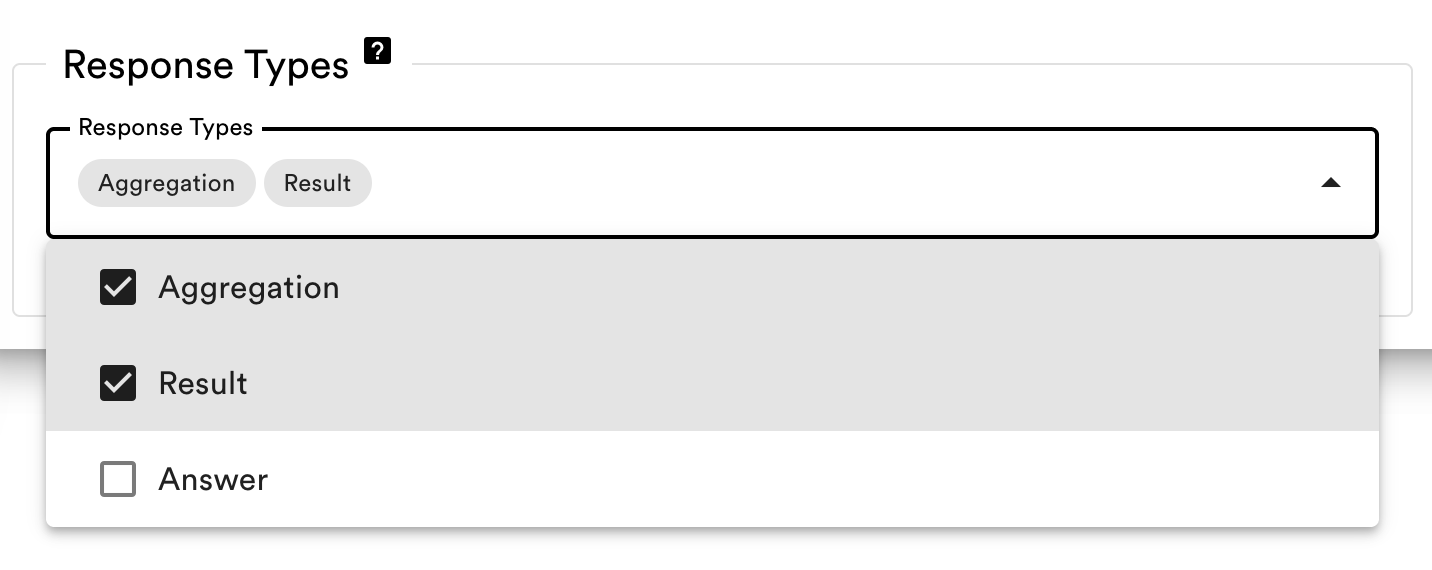
Option 2: Provide the Response Types as the returnTypes parameter
You can choose which of these steps you want returned by specifying a returnTypes array with any combination of:
returnTypes Value | Description | Expected Keys in Response |
|---|---|---|
"query" | Returns the generated MongoDB aggregation pipeline or MySQL query, the database and collection used and a confidence score on a scale from 0 to 10 on how confident the AI is that the query will answer the question correct. | confidence, databaseType, database, collection, query |
"result" | Returns the raw query results from the executed query. | result |
"answer" | Returns a natural language response based on the results from the executed query. | answer |
Please note
If you provide the Response Types as a parameter, it will override the Response Types configuration in your account settings.
Example returning all three steps
Imagine a tabletennis collection that records the results of the matches of two players.
Asking the question Who won the last match? results in a request that looks like this:
const res = await FlorentineAI.ask({
  question: "Who won the last match?",
  returnTypes: ["query", "result", "answer"]
});curl https://nltm.florentine.ai/ask \
-H "content-type: application/json" \
-H "florentine-token: <FLORENTINE_API_KEY>" \
-d '{
"question": "Who won the last match?",
"returnTypes": ["query", "result", "answer"]
}'And the response looks like this:
{
  "databaseType": "mongodb",
  "database": "samples",
  "collection": "tabletennis",
  "query": [
    { "$sort": { "year": -1, "matchInYear": -1 } },
    { "$limit": 1 },
    {
      "$project": {
        "winner": {
          "$cond": {
            "if": { "$eq": ["$matchwinner", "home"] },
            "then": "$players.home",
            "else": "$players.away"
          }
        }
      }
    }
  ],
  "result": [{ "_id": "67d352056d3ef0f2281524cf", "winner": "Frank" }],
  "answer": "Frank won the last match. According to our records, he emerged as the winner, highlighting his strong performance in that game."
}
Please note
The API only executes the steps neccessary, so i.e. if you only provide query in the returnTypes, the query is not executed and no natural language answer generated, which increases the response time.