Connect your LLM account
Florentine.ai works as a bring your own key model, so you need to provide your LLM API key (OpenAI, Deepseek, Google or Anthropic).
Option 1: Save your LLM key in the dashboard
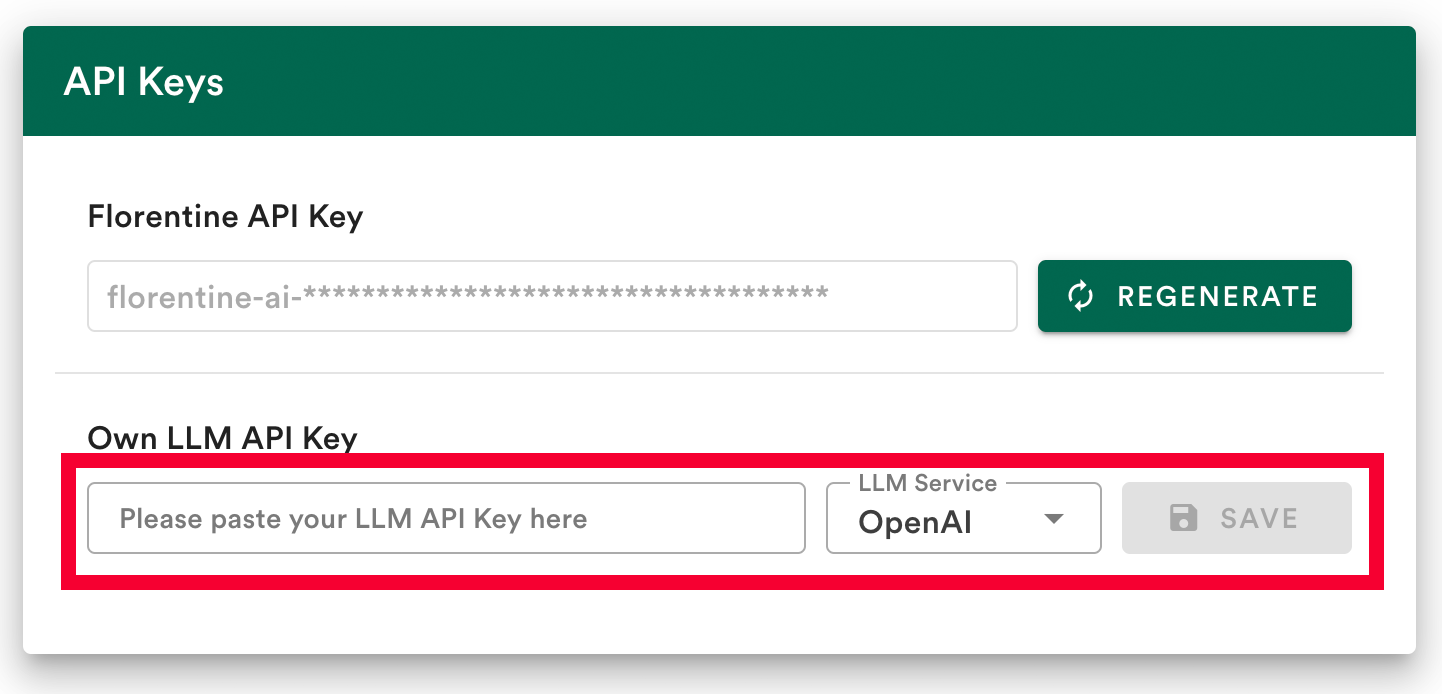
The easiest way to connect to your LLM provider is to save your LLM API key in your Florentine.ai dashboard.
- Add your API key.
- Select your LLM provider (
OpenAI,Deepseek,GoogleorAnthropic). - Click
Save.
Option 2: Provide your LLM key inside the MCP server config env variables
Please note
This option only works when you integrated Florentine as a local MCP server.
If you prefer not to store the key in your Florentine.ai account or want to use multiple LLM keys, you can pass the key inside the MCP server config:
json
"env": {
  "LLM_SERVICE": "<YOUR_LLM_SERVICE>",
  "LLM_KEY": "<YOUR_LLM_API_KEY>"
}| Parameter | Description | Allowed Values |
|---|---|---|
LLM_SERVICE | Specifies the LLM provider to use. | "openai","deepseek","google","anthropic" |
LLM_KEY | Your API key for the provided LLM service. | A valid API key string |
Please note
If you provide a LLM_KEY inside the env variables of the MCP server config, it will override any key stored in your account.